
We can improve your training in less than 5 minutes. TAKE OUR QUIZ
Checklists
Checklists provide a structured way to guide learners through a sequence of tasks and allow administrators to manage and monitor those tasks. They are ideal for new employee onboarding, and much more.
Tasks aren’t restricted to LMS courses. They can include learning paths, text items, lists of sub-tasks to complete, and resources to review – whatever an effective learning workflow requires.
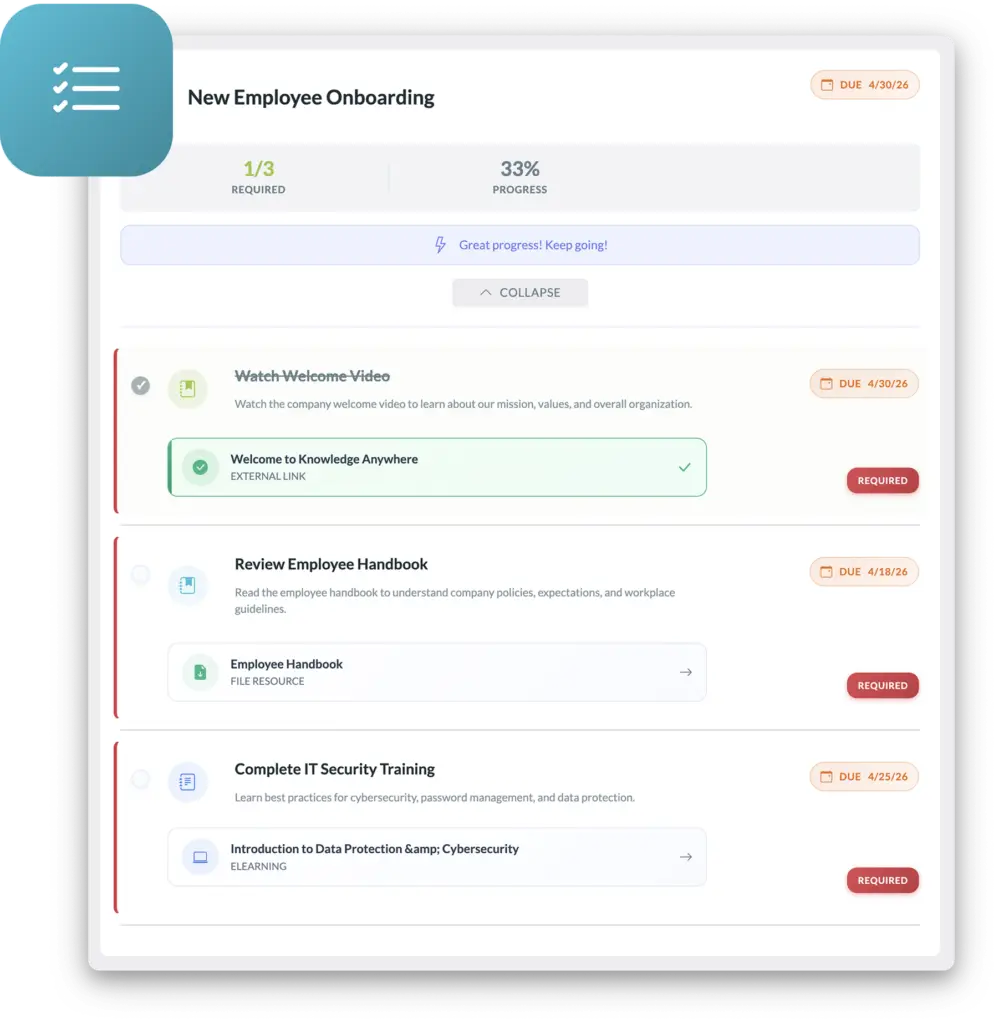
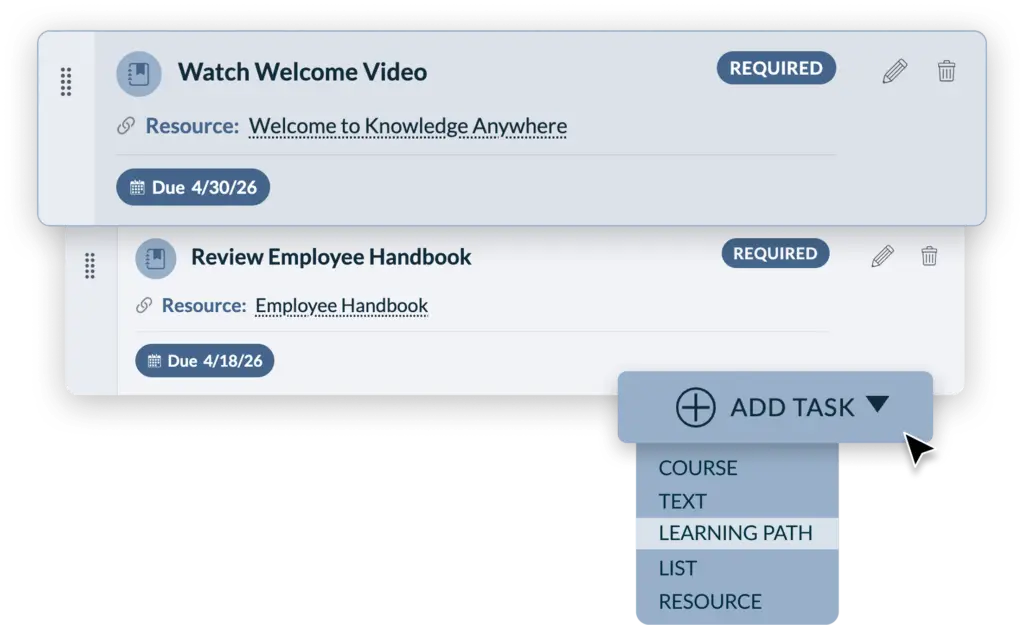
Administrators can easily build out checklists. Tasks can be required or optional, and can include due dates.
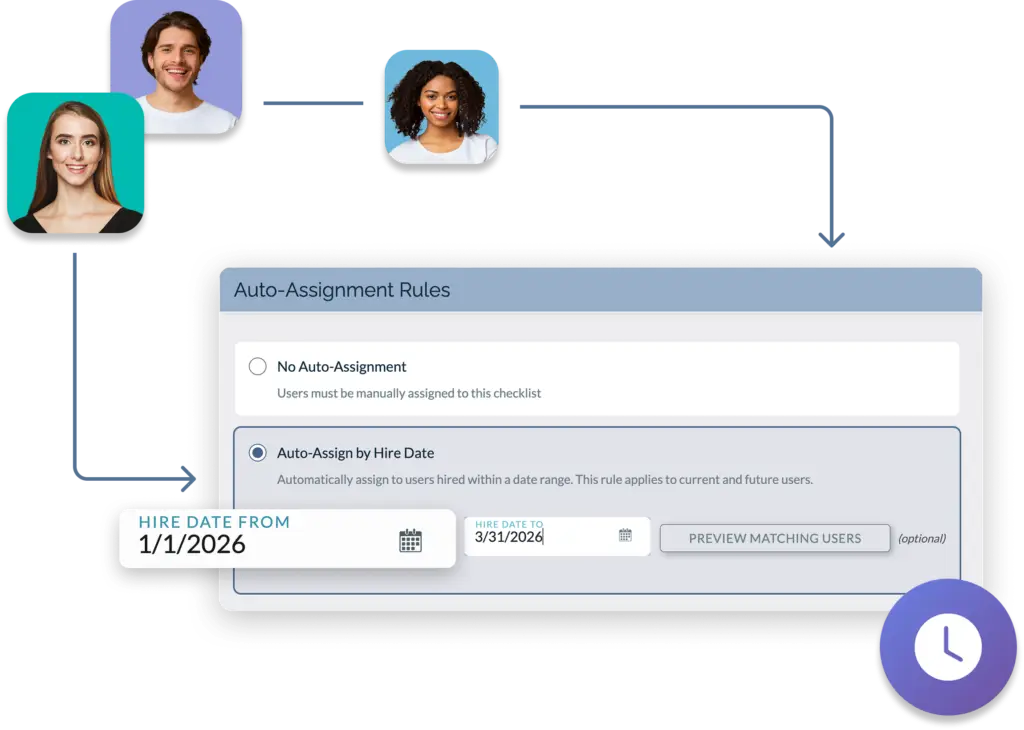
Checklists are ideal for onboarding new employees. Just link the checklist to a hire date and it will be automatically assigned.
Learning paths are perfect if you just need to assign training. But if you need to do more, consider a checklist. For example, Checklists can include forms to be completed by the learner or can require the learner to upload documents. Checklists can also be used for compliance, role-based training, and other learning workflows that require learners to do more than just complete courses within the LMS.
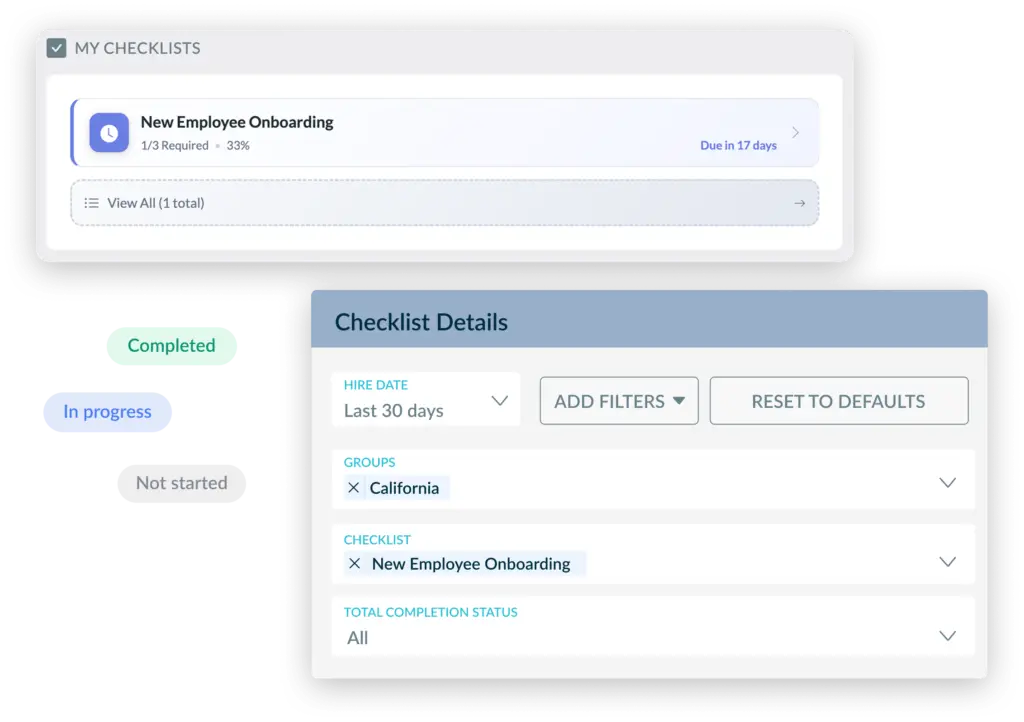
And it’s easy to track progress on checklists.
Learners see a reminder on their home page, administrators can easily run reports on checklist completion.
Checklists are structured lists of tasks to be completed. They provide a clear, at-a-glance view of what has been completed and what remains, helping ensure nothing is missed in a learning plan or process.
The main difference is that learning paths can include only courses. Checklists can include courses, learning paths, text items, lists of sub-tasks to complete, and resources to review.
Learners access Checklists from their learner home page. As they complete each item, they can mark it as done, and the LMS will update their progress so they always know where they stand.
Administrators can create Checklists, define the items that need to be completed, and control who can see and use each Checklist based on groups, roles, or assignments in the LMS. They can also edit, activate, or deactivate Checklists as training programs change over time.
Checklist activity can be included in learner tracking and reporting alongside other courses and learning path data, depending on how your LMS site is configured. Admins can use standard learner and course reports to review progress, verify completion of required items, and export results if needed.
Yes, Checklists are designed to complement existing courses and learning paths by capturing tasks or steps that happen before, during, or after online training. This can include prerequisites, on-the-job activities, follow-up actions, or other requirements that are not captured directly inside a SCORM course.
Checklist creation and management are typically available to LMS administrators with the appropriate role and permissions in your site. If you do not see Checklist options in your admin tools, contact your Global Administrator or Knowledge Anywhere Support to review your access and site configuration.
Test out our system for yourself.
We will send you login credentials to an LMS site packed with example courses, such as Safety Training, Anti-Harassment Training, Diversity Training, and more! You’ll have 14 days to explore our training platform and the opportunity to customize it with your company’s logos, colors, and messages.


We use cookies to improve your experience on our site. By using our site, you consent to cookies.
Manage your cookie preferences below:
Essential cookies enable basic functions and are necessary for the proper function of the website.
Stripe is a payment processing platform that enables businesses to accept online payments securely and efficiently.
Service URL: stripe.com (opens in a new window)
Statistics cookies collect information anonymously. This information helps us understand how visitors use our website.
Google Analytics is a powerful tool that tracks and analyzes website traffic for informed marketing decisions.
Service URL: policies.google.com (opens in a new window)
Clarity is a web analytics service that tracks and reports website traffic.
Service URL: clarity.microsoft.com (opens in a new window)
SourceBuster is used by WooCommerce for order attribution based on user source.
You can find more information in our PRIVACY POLICY.