
We can improve your training in less than 5 minutes. TAKE OUR QUIZ
Course Studio lets you create courses directly within your Knowledge Anywhere LMS. Build training quickly and cost-effectively, without a complex interface or steep learning curve.
Because Course Studio is built into the LMS, your team can develop, manage, and publish content in one place—eliminating the need for separate authoring tools.
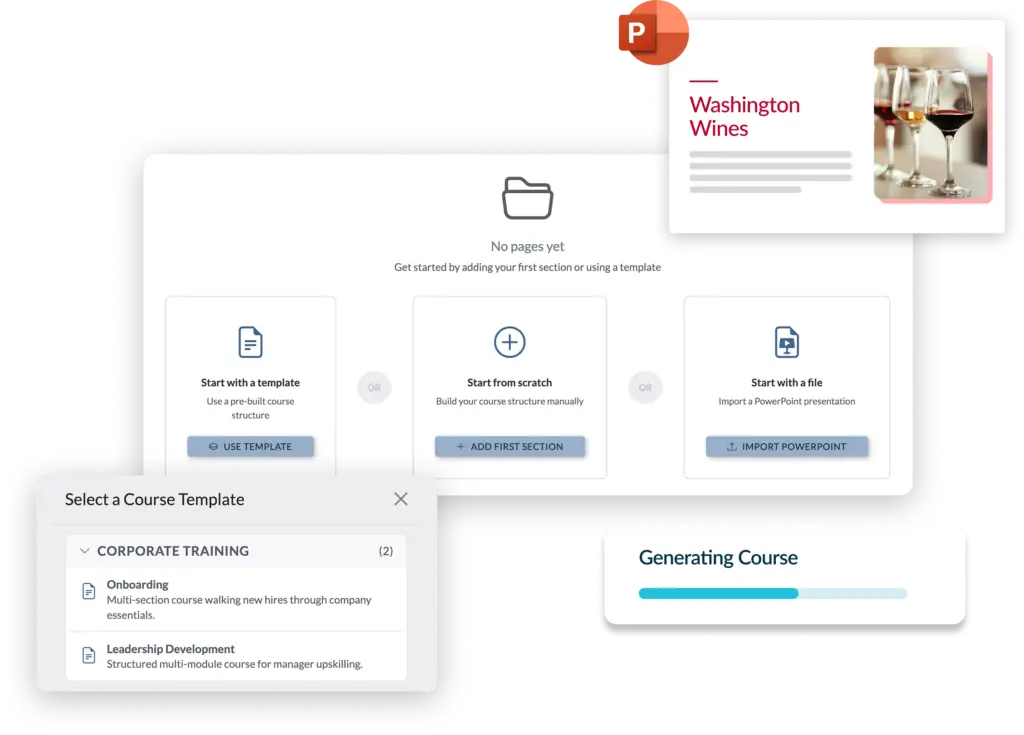
Start your course by importing a PowerPoint or PDF, using the Outline Builder, selecting a pre-built outline, or duplicating an existing course as a baseline.
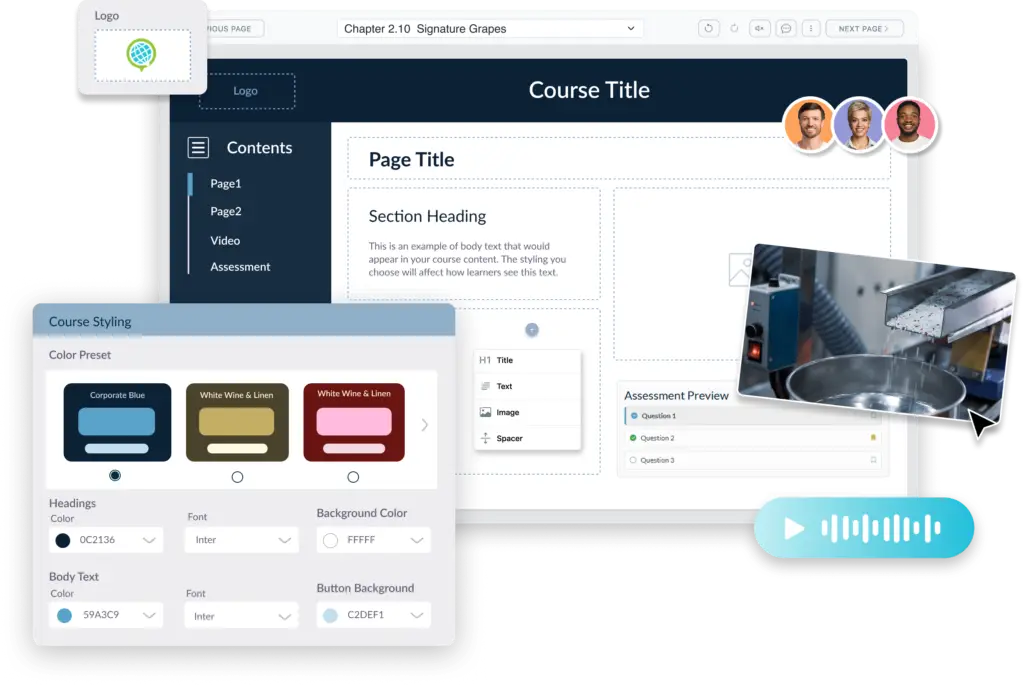
Admin-controlled visual templates help maintain brand consistency and speed up development.
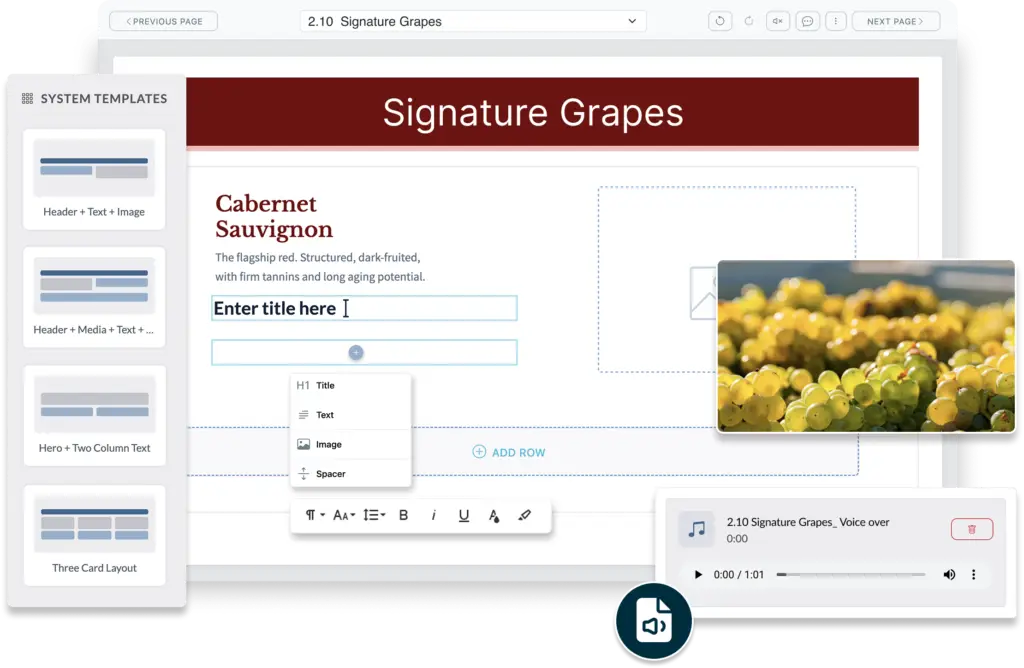
You don’t need to be a designer to build a great course. As you work in the Editor, you can select from pre-defined page layouts or create your own layout. Drag and drop pages to rearrange content.
Include images, video, and audio, and manage these assets in the LMS resource library. Assets in the resource library can be used in multiple courses, allowing you to standardize and provide easy access.
Collaborate as you write – multiple team members can work on a course at the same time.
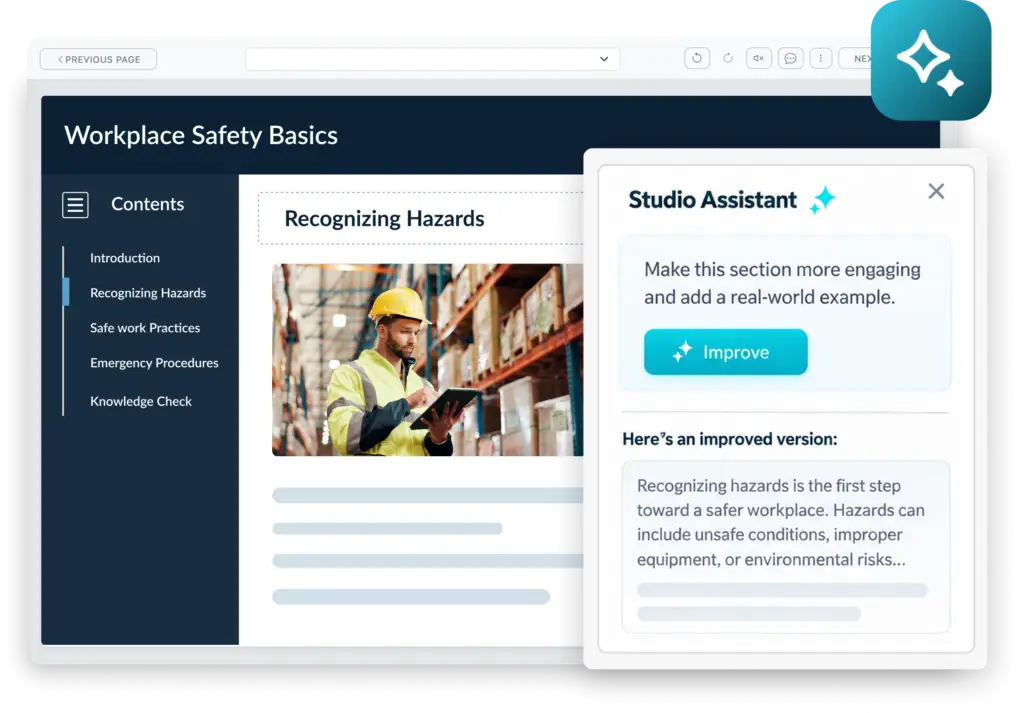
Assistant AI for Studio turns your design specifications and source materials into a course draft.
Use the draft as a starting point and refine it to fit your needs, or use Assistant AI for Studio to review and improve content you’ve created. However you use it, you remain in control.
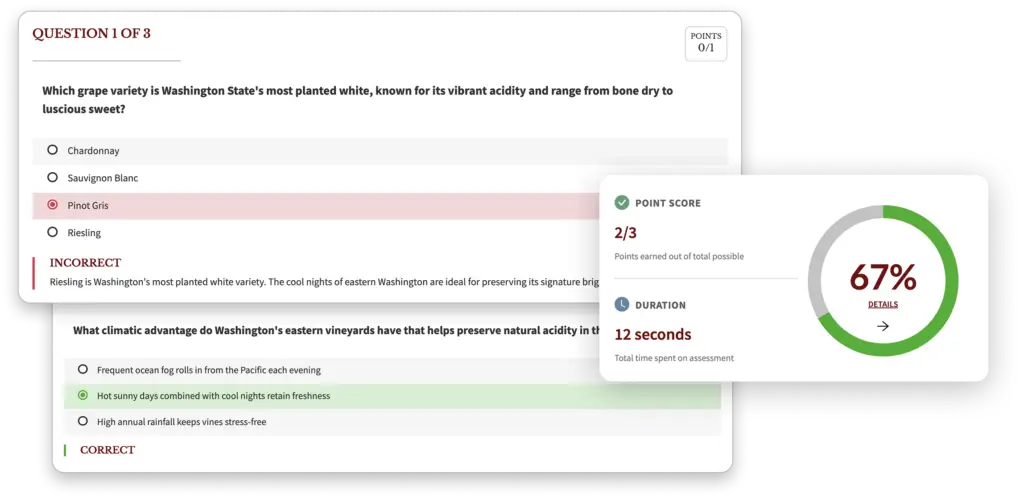
Our LMS is known for its powerful assessment authoring environment, and that environment is now built into Studio. No need to switch tools – assessments live where your content does. Set passing scores, set time limits, limit attempts, restrict navigation, use question pooling and more – all from within Studio.
Your Assistant AI for Studio license also unlocks AI-enabled assessment authoring.
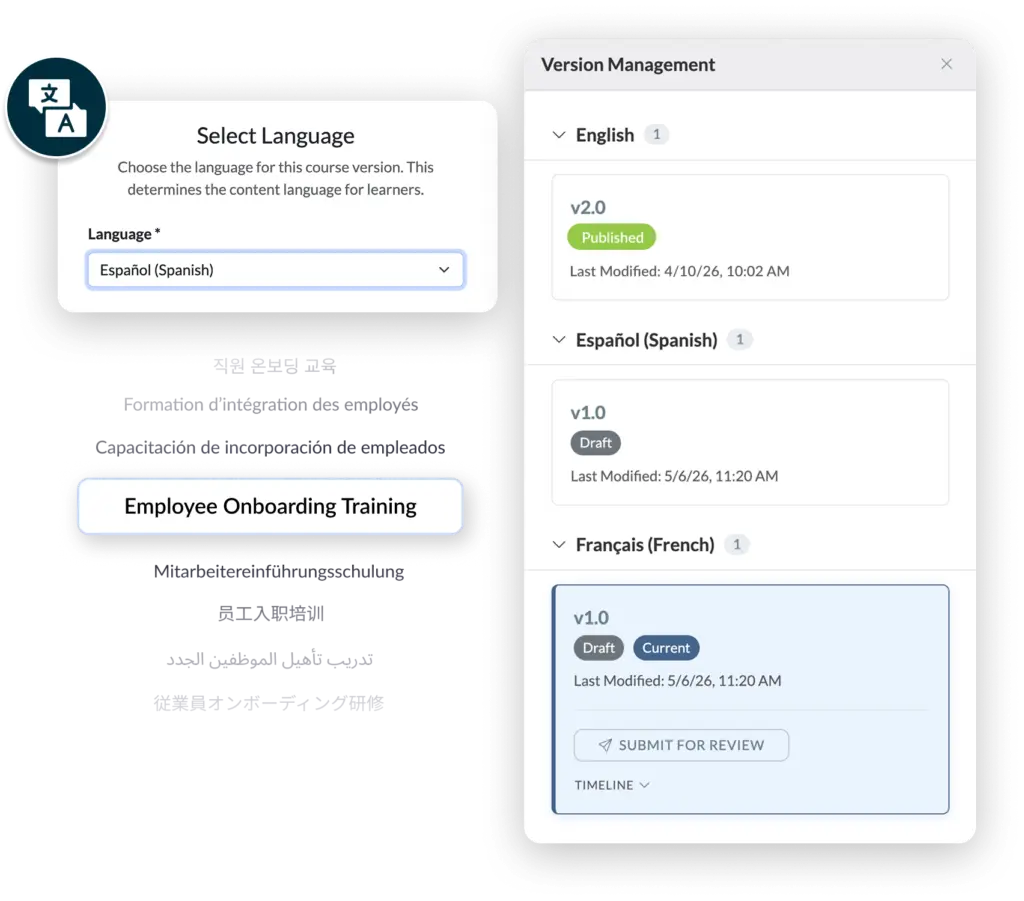
Need to create courses in multiple languages?
Studio has you covered. Create and manage course versions in different languages.
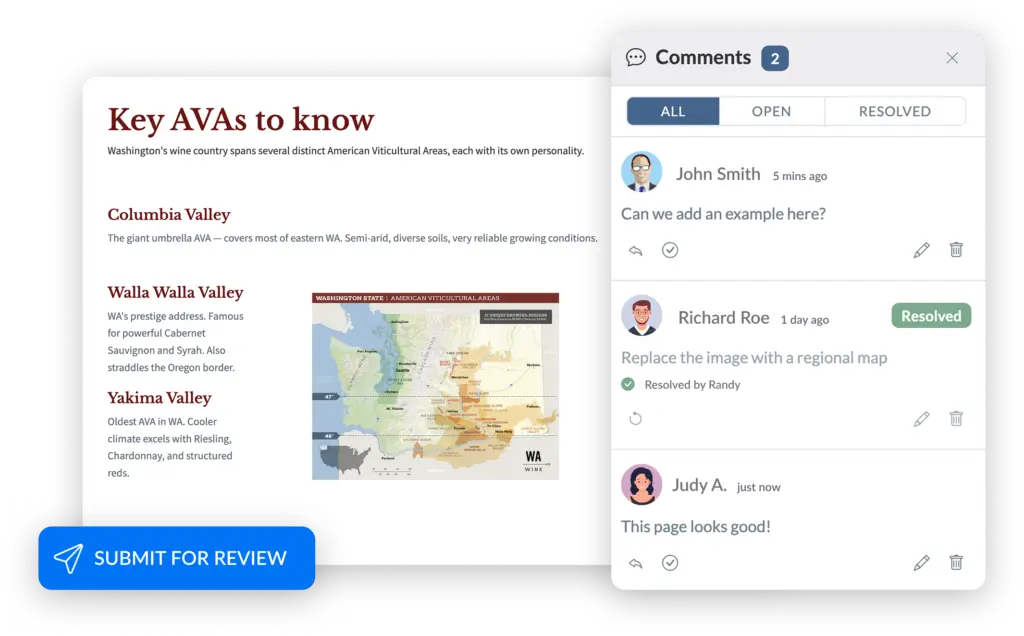
When you’re done, you can manage the review process from within Studio. Route the course to designated reviewers, who can view the course, add comments within Studio, and approve the course when it’s ready for publication. E-mail digests summarize comments and keep everyone in the loop.
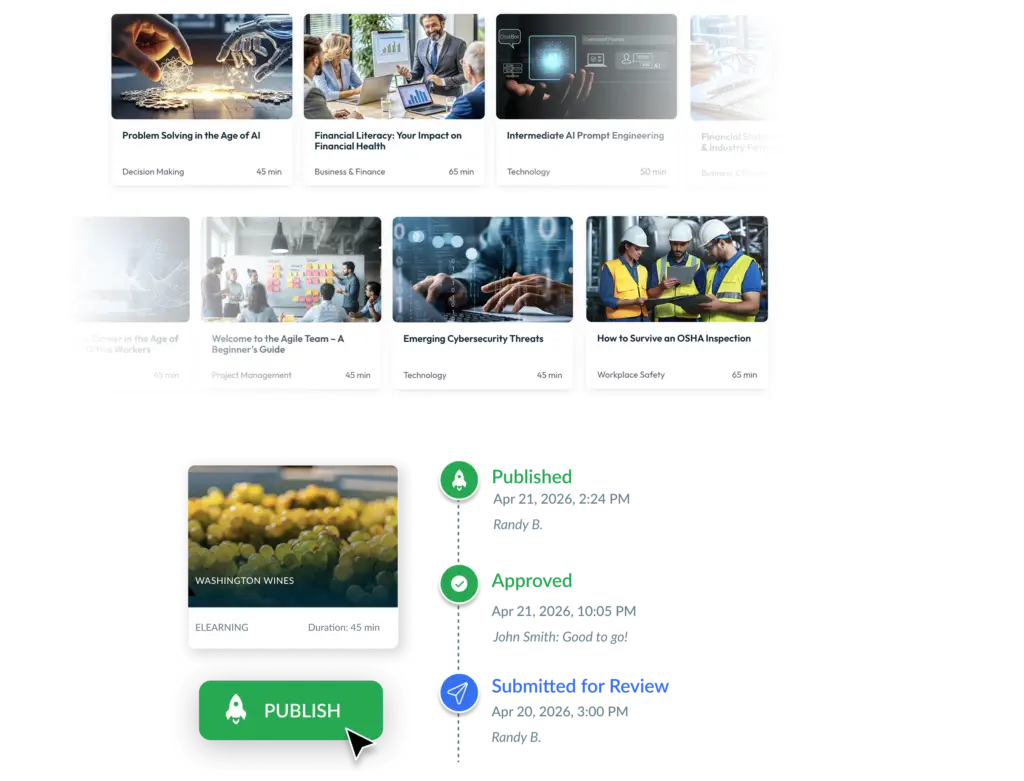
When you have made revisions and stakeholders have given their approval, one click publishes the course, locking the content and making it available for assignment within the LMS. No need to manage and track SCORM files between your authoring environment and the LMS.
Versioning preserves your work, so when it comes time to revise the course you can create a new version, make your changes, and replace the published version when you’re ready – or create a different version of the course for a different audience or situation.
No. Unlike some content development platforms, we have designed Course Studio to be easy to learn and use. You don’t need special training or instructional design experience.
Of course! You can even use the LMS’s Resource Library to manage course assets.
Yes – preview is supported.
At release, Studio will allow you to import a PowerPoint and a PDF and will build a course based on that content. You can then edit the course as desired. This is a great way to quickly get content into your LMS.
No. We realize that some teams prefer not to use AI in their writing process. AI features are unavailable to users who lack Studio Assistant licenses and, if you do have an Assistant license, you can simply choose not to use AI capabilities.
Yes – collaborative authoring is supported.
Articulate is powerful, but it is expensive and complex to use. It will always have a place in some organizations developing high impact training. But many organizations just need to inexpensively create quality content for their LMS, and Studio is ideal for that. Use Studio to empower your team to begin creating content now.
Additionally, many organizations prefer integrated tools, allowing them to develop content within their LMS, which Studio delivers.
Because content development can be the hardest part of running your learning program. Supercharge your content creation process by using the right tool for the right course. Your experienced instructional design team can use Articulate for high-impact courses while an extended team uses Studio to create additional learning content. Use Studio to extend your team and get more done.
Anyone with the administration roles Developer and Editor can develop a course in Studio. The number of these licenses may be limited by your LMS tier. Anyone with the administration role Review can review a Studio courses. There is no limit on reviewer licenses.
Licensing depends on your LMS tier.
Assistant AI for Studio licenses are optional. Contact us for details.
Test out our system for yourself.
We will send you login credentials to an LMS site packed with example courses, such as Safety Training, Anti-Harassment Training, Diversity Training, and more! You’ll have 14 days to explore our training platform and the opportunity to customize it with your company’s logos, colors, and messages.


We use cookies to improve your experience on our site. By using our site, you consent to cookies.
Manage your cookie preferences below:
Essential cookies enable basic functions and are necessary for the proper function of the website.
Stripe is a payment processing platform that enables businesses to accept online payments securely and efficiently.
Service URL: stripe.com (opens in a new window)
Statistics cookies collect information anonymously. This information helps us understand how visitors use our website.
Google Analytics is a powerful tool that tracks and analyzes website traffic for informed marketing decisions.
Service URL: policies.google.com (opens in a new window)
Clarity is a web analytics service that tracks and reports website traffic.
Service URL: clarity.microsoft.com (opens in a new window)
SourceBuster is used by WooCommerce for order attribution based on user source.
You can find more information in our PRIVACY POLICY.